EXERCE-EASE STUDIO

Your AI prepares the scenario.
Studio gets your team practising.

Use the skill provided by Exerce-Ease to design an exercise timeline with your AI. Import it into Exerce-Ease Studio, assign roles and facilitate the session. Exchanges and observations remain available for the debrief.

FOR TRAINERS, CONSULTANTS AND INTERNAL FACILITATORS
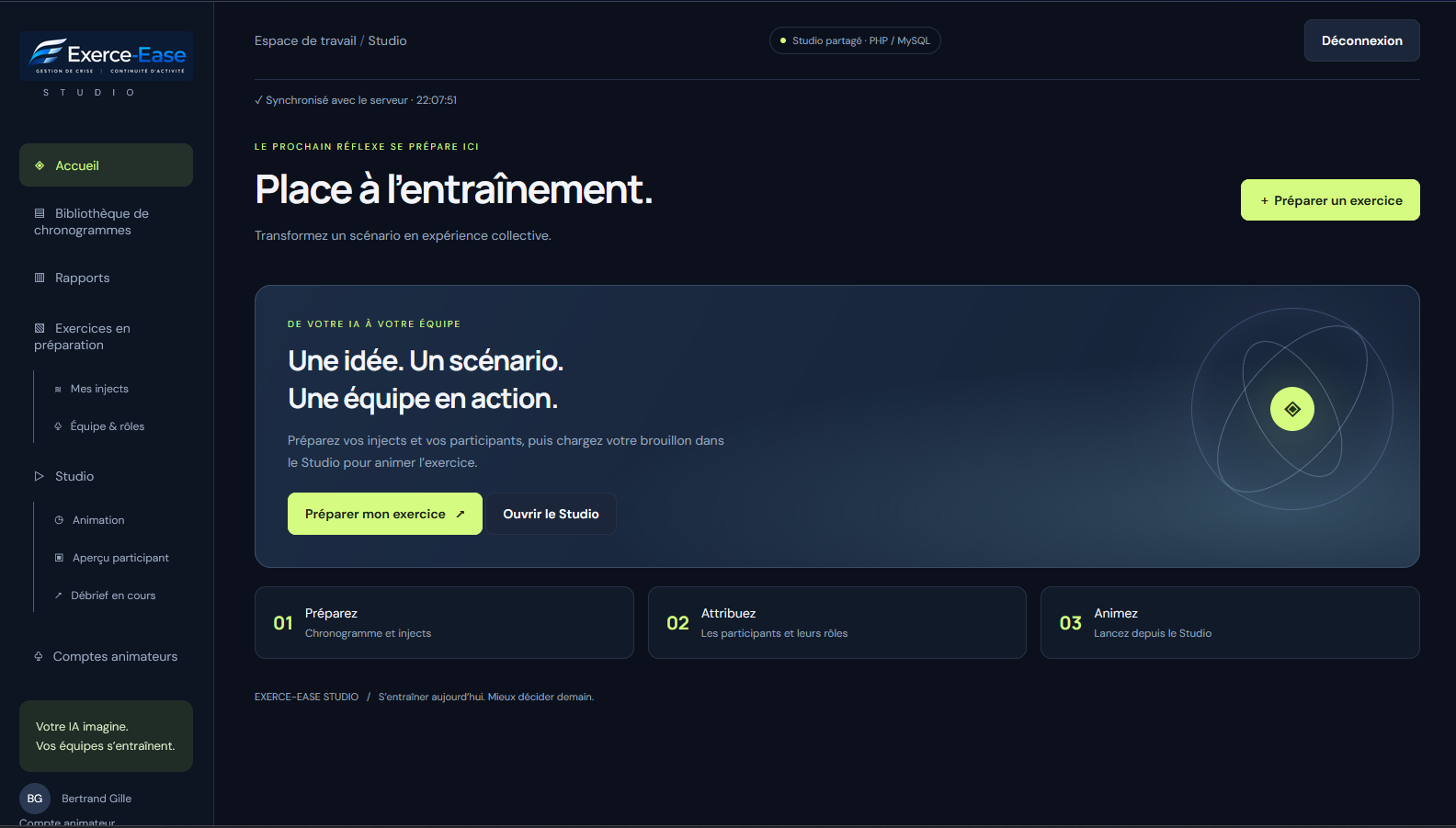
Exerce-Ease Studio home workspace
A single workspace to prepare an exercise and open the facilitation view.
STUDIO

From a timeline to a live exercise, in one workflow.

A timeline describes the planned events. The exercise begins when your participants experience them. Studio connects those stages and retains a record of the session.

01

Design with your AI

Use the Exerce-Ease skill to build a scenario and timeline around your training objectives.

02

Import into Studio

Load a compatible table or JSON timeline. Studio prepares the roles and exercise events.

03

Prepare the players

Assign roles using each participant’s name and e-mail address.

04

Run the exercise

Start the session, control event delivery and adapt the pace to the team’s decisions.

05

Debrief

Review the events, responses, messages and your observations in the exercise report.

BEFORE THE SESSION

Prepare a session.
Keep your reusable scenario.

Store timelines in your library. Use one to prepare a separate exercise, adjusting events, timing and participants without changing the original timeline.
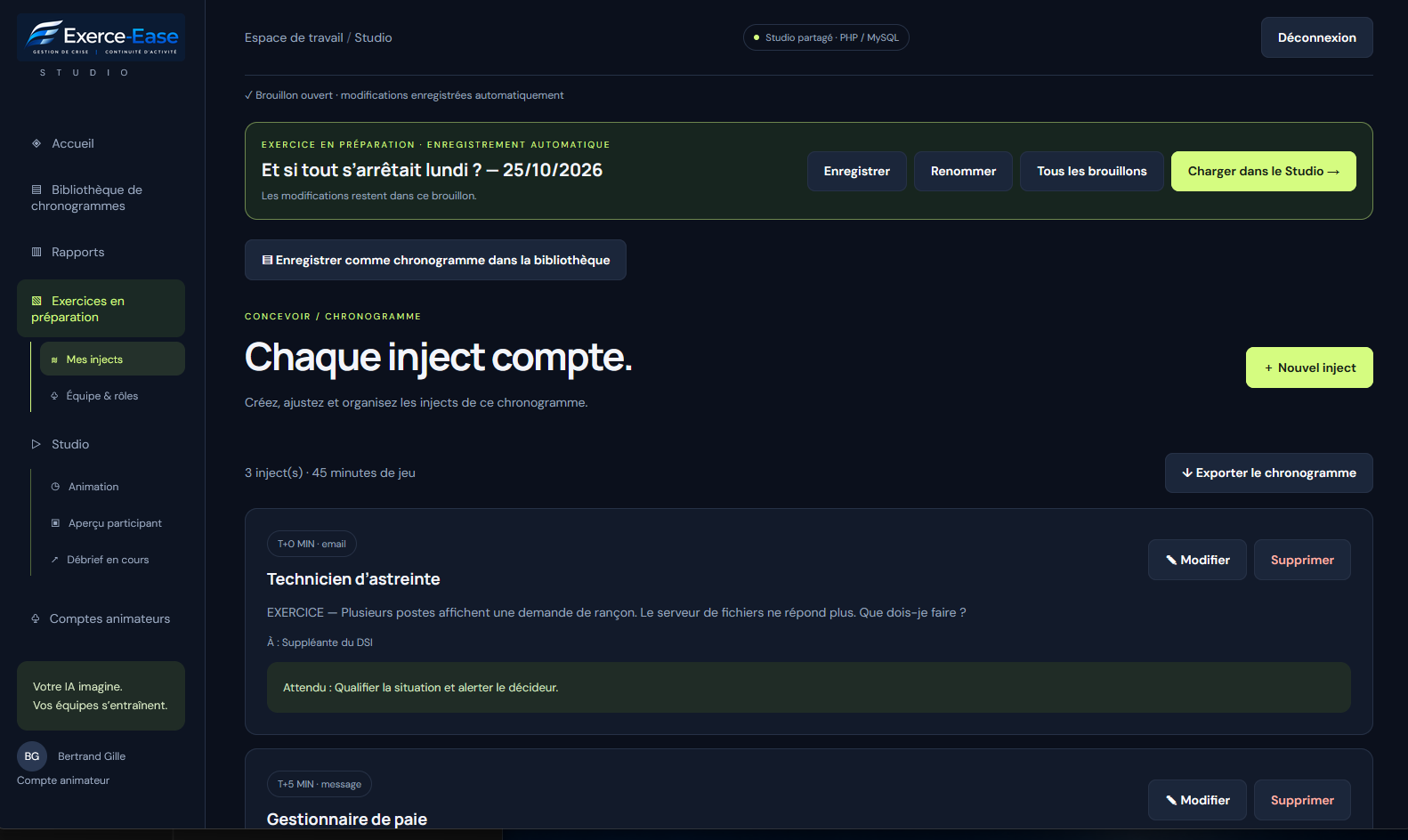
  • Create, edit or delete events before they are delivered.
  • Define simulated senders, channels, recipients and expected learning responses.
  • Assign roles to participants using names and e-mail addresses.
  • Keep several exercises in preparation and save new timeline versions.
  • Reuse the same timeline with different teams or for repeat sessions.
Preparation view: timing, message, recipient and expected response.
DURING THE SESSION

Set the pace.
Keep control.

The facilitator view brings together exercise events and participant exchanges. The timeline guides the session, while you adapt it to the team’s actual decisions.
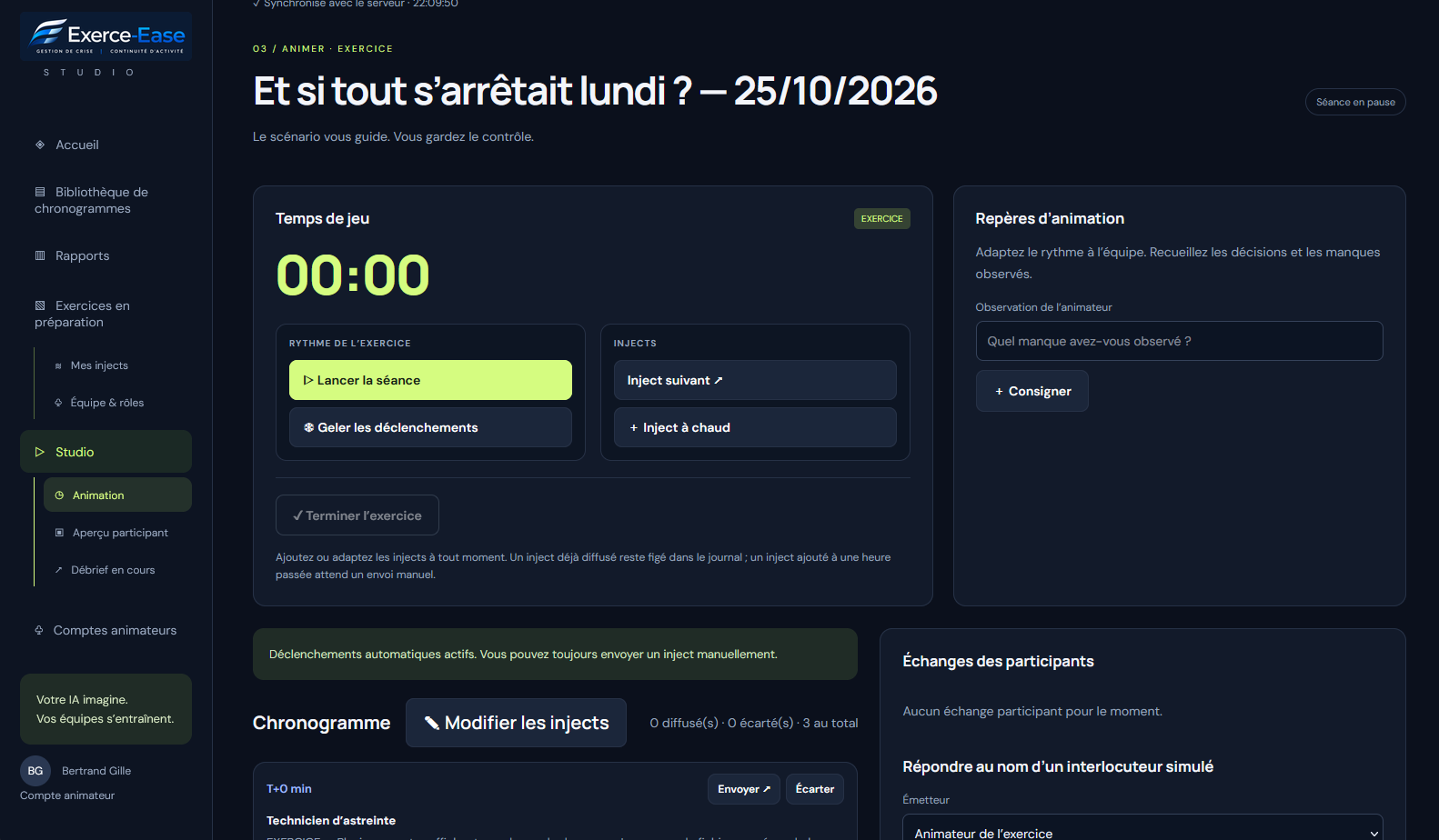
  • Deliver events automatically according to the timeline or trigger them manually.
  • Pause the session or freeze automatic triggering.
  • Skip an event that is no longer relevant.
  • Prepare a live inject on the facilitation page, then send it when ready.
  • Message players as the facilitator or a simulated contact.
  • Record observations throughout the exercise.
Facilitation view: exercise controls, timeline and participant exchanges.
AFTER THE SESSION

The exercise ends.
The learning remains.

When a session closes, it moves to Reports. Review delivered events, each participant’s responses, exchanges and your notes to prepare a debrief based on what happened.
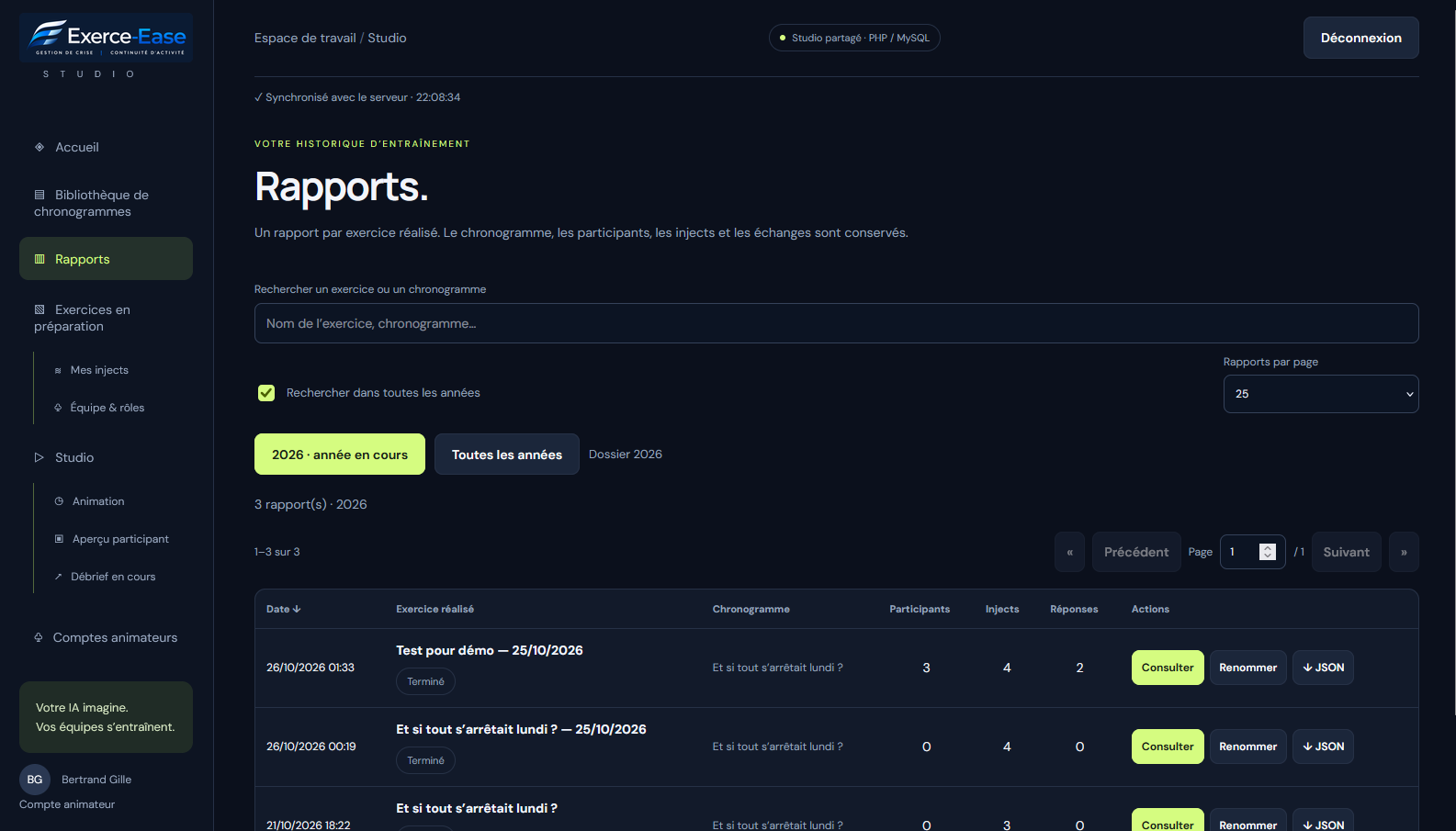
  • Identify the author, role and time of responses and messages.
  • Review delivered and undelivered exercise events.
  • Use observations and the action plan to prepare the next steps.
  • Search and rename completed exercises and browse archives by year.
  • Export reports in JSON or printable HTML format.
Reports view: exercise history, participants, events and responses.

Built around your role as facilitator.

01

Training providers

Connect teaching points with practical exercises, then use the debrief to reinforce learning.

02

Consultants

Prepare the exercise sequence and use the facilitation controls to adapt the session.

03

Internal teams

Practise together, identify coordination gaps and turn observations into improvement actions.

Example views of Studio. The exercise data displayed is illustrative.

EXERCE-EASE STUDIO

See your timeline come to life.

In 30 minutes, discover how to turn a scenario designed with your AI into an exercise your team can play. A free, no-obligation demonstration.