
Two people prepare the same crisis exercise. The first delivers a precise timeline, with the time, the sender and the expected response for every message. The second delivers a series of dramatic events with no clear objective. On the day, only the first will teach the organisation anything.
The quality of an exercise is decided before the session, when the scenario and the timeline are built. This article sets out a six-step method, a complete example timeline for a fictional SME, and a free resource to apply the method consistently from one exercise designer to the next.
Scenario and timeline: two different tools
The French national cybersecurity agency, ANSSI, has published a guide on organising cyber crisis management exercises. It defines an exercise as the simulation of a scenario: a sequence of fictional events that creates a crisis situation that is realistic but not real.
- The scenario is the story: the starting situation, how it escalates and how the exercise ends.
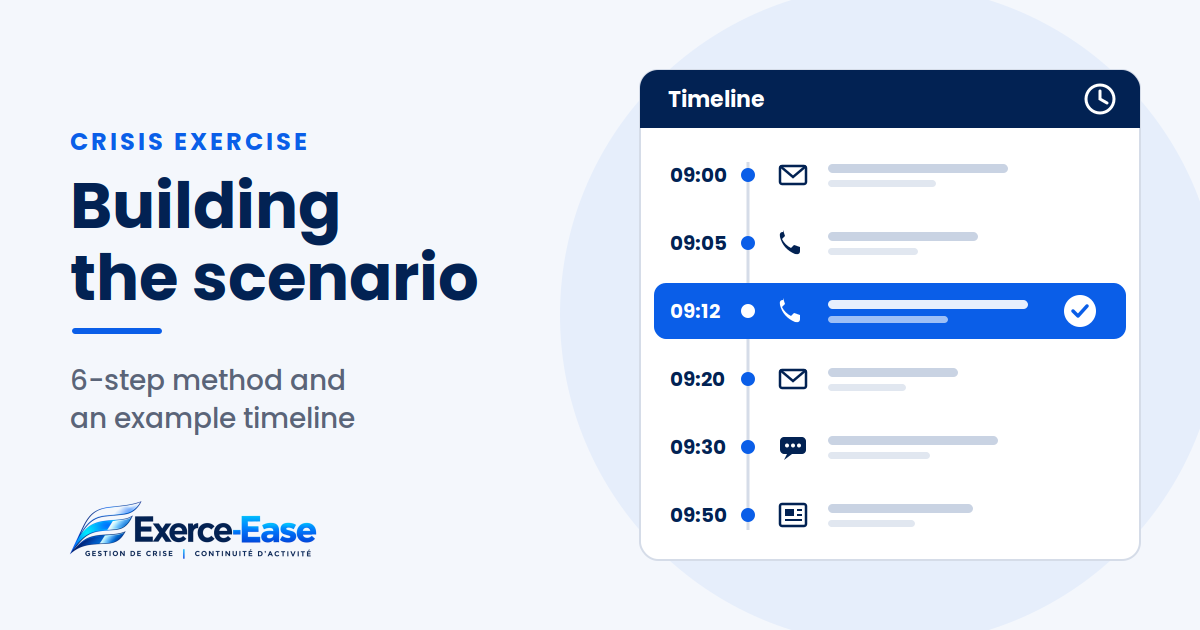
- The timeline, sometimes called the master events list, is the facilitation tool: a table in which each row is a message sent to the players, known as a stimulus or inject.
A good scenario without a timeline leaves the facilitator improvising. A timeline without a scenario produces a series of messages with no storyline.
Step 1: start from the objectives
An exercise is not there to check that the team “handles the crisis well”. It is there to observe specific behaviours. Write two to four observable objectives, for example:
- the crisis team meets within 30 minutes of the alert;
- a first written situation report is produced within the first hour;
- customers and the press receive a consistent response;
- priority activities are identified and a fallback solution is decided.
Each objective must be something an observer can see. It will guide the writing of every message.
Step 2: set the format and the roles
Before writing the scenario, decide on:
- the format: a 90-minute tabletop exercise, a more immersive half-day simulation, or an exercise focused on one function;
- the players: who is put in the situation, and in which roles;
- the facilitation team: who sends the messages and who observes.
The ANSSI guide sets a simple rule: facilitators are not players, and players are not facilitators. The facilitation team plays the people outside the exercise: a customer, a journalist, a supplier, a manager who is not in the crisis team.
Step 3: write the storyline
The scenario is built in three stages:
- the starting situation, credible and suited to your business;
- the escalation, in steps: the incident spreads, the first outside requests arrive, operations are affected;
- the end of play: a piece of information that brings the exercise to a close, followed by the debrief.
Start from your real risks and the way you really operate. A scenario too far from your day-to-day reality leads people to debate whether it is plausible instead of training.
Step 4: build the timeline
In its practical sheet on the timeline, ANSSI suggests columns including: number, time, phase, message content, sender, recipient, delivery channel, expected response and notes for the facilitation team.
Above all, it recommends filling in the table from right to left:
- start with the expected response, linked to an objective;
- then choose the player who receives the message;
- then the sender played by the facilitation team;
- only then write the content of the message;
- finish with the channel and the time.
Three other tips from the same sheet are worth keeping:
- do not send every message to the same person, so you can observe whether information flows;
- use the channels players would really use, taking the simulated crisis into account, for example an email system that is no longer available;
- do not script everything: some exchanges arise naturally between players.
Example timeline: a transport SME
The example below is entirely fictional. Transports Morel, a 45-employee company, discovers one morning that its delivery-planning software has been encrypted by ransomware. Format: a 90-minute tabletop exercise with management, operations, sales and the switchboard.
Objectives: convene the crisis team quickly, keep priority deliveries going, and coordinate responses to customers and the press.
- 09:00 — Facilitation team to all players, by email. Message: scenario briefing pack and exercise rules. Expected: players read it, no action required.
- 09:05 — Operations team leader, simulated, to the operations manager, by phone. Message: “Two workstations are showing a ransom demand and the planning tool won’t open.” Expected: the IT contact and management are alerted.
- 09:12 — IT service provider, simulated, to the managing director, by phone. Message: the server is affected and the provider recommends isolating the network. Expected: decision to convene the crisis team.
- 09:20 — Main customer, simulated, to the sales representative, by email. Message: “Can you confirm tomorrow’s deliveries?” Expected: issue escalated to the crisis team and a coordinated holding reply.
- 09:30 — Driver, simulated, to operations, by text message. Message: “I don’t have my route sheet any more, what should I do?” Expected: paper-based routes put in place.
- 09:40 — Accountant, simulated, to the managing director, by phone. Message: payroll is due in three days and the software is inaccessible. Expected: workaround identified and an owner appointed.
- 09:50 — Local press journalist, simulated, to the switchboard, by phone. Message: “A customer says you’ve been hacked, can you confirm?” Expected: no improvised answer, call passed to the designated person.
- 10:00 — IT service provider, simulated, to the managing director, by email if available, otherwise by phone. Message: restoration estimated at five working days, backups only partly usable. Expected: priorities set for the activities to restore.
- 10:15 — Insurer, simulated, to the managing director, by email. Message: request for initial information for the insurance claim. Expected: someone appointed to follow up and evidence preserved.
- 10:30 — Facilitation team to all players. Message: end of exercise. Expected: everyone joins the hot debrief.
Also keep one or two reserve messages, for example an employee worried about their personal data. Use them if the team moves too fast, or if an objective has not yet been tested.
Step 5: prepare the facilitation
On the day, the timeline guides the facilitator without locking them in. Prepare:
- a player briefing: objectives, rules, what is simulated and what is not;
- a fictional contact directory that routes calls to the facilitation team;
- standard answers to the questions players are likely to ask.
This is where the expected-response column proves its value: if the observed response is very different, the facilitator knows they need to slow down, press harder or add a message.
Step 6: observe and prepare the debrief
Build the observation grid at the same time as the timeline, starting from the objectives. For each key message, record what was done, by whom and when, and above all what was missing: information not passed on, a decision not taken, a stakeholder forgotten.
These observations feed the hot debrief and then the later, more detailed review. To avoid the most common traps, see also our article on seven mistakes that stop you from really testing your organisation: https://www.exerce-ease.com/publication.php?slug=crisis-exercise-7-mistakes
Save time: the exercise design skill
The real challenge of an exercise programme is not writing a scenario. It is getting the same quality from one designer to the next. An AI prompt is rewritten every time, and the result changes depending on who writes it.
A skill is a folder of instructions that a compatible AI assistant, such as Claude, loads by itself when the task calls for it. We have packaged the method described in this article into a skill:
- the “crisis exercise designer” skill, ready to install;
- the timeline template: time, sender, recipient, channel, message, expected response;
- the inject typology and facilitation principles;
- an observation grid focused on what is missing;
- three sample requests to test it straight away.
AI does not replace exercise design expertise: review every suggestion, adapt it to your organisation and do not enter sensitive information. The skill is free and sent by email. The resource page is in French: https://www.exerce-ease.com/automation/guide/?r=skill
Running your timeline
Exerce-Ease Studio lets you build exercise events with their timing, recipient and expected response, keep reusable timelines in a library, then run the session: send or skip an event, add a live inject and record your observations. Reports then bring together the timeline, participants, events and exchanges to support the debrief.
A useful action this week: go back to your last exercise and check whether every message had a written expected response. If not, start there.
To see Exerce-Ease Studio in your context: https://www.exerce-ease.com/en/exerce-ease-studio.php